
Professional Bulk Photo Scanning Solutions
Smart Photo Border Crop
Automatically crop borders from an entire folder of scanned photos
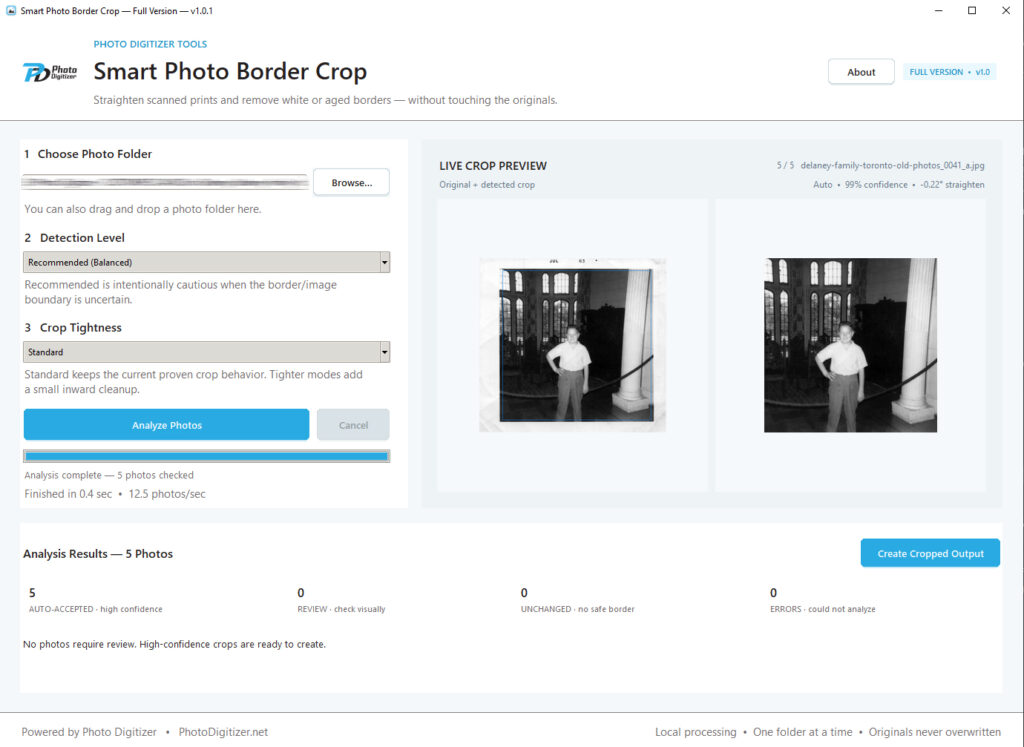
Smart Photo Border Crop analyzes scanned photos, detects unwanted white, cream, aged, and uneven borders, and crops them automatically.
Choose a folder, click Analyze Photos, and let the program handle the repetitive work. High-confidence crops are handled automatically, while only uncertain photos are held for you to review.
Try 100 photos free • No account required • Photos stay on your computer

Powerful Features. Real Benefits.
AUTOMATIC BORDER DETECTION
Intelligent image analysis detects white, cream, aged, and uneven photo borders — even when the border thickness differs from side to side.
PROCESS AN ENTIRE FOLDER
Analyze hundreds or thousands of scanned photos in one batch instead of cropping them individually.
REVIEW ONLY THE EXCEPTIONS
High-confidence crops are handled automatically. Only uncertain photos are held for review.
MANUAL CROP ADJUSTMENT
Fine-tune difficult photos directly inside the program with zoom, pan, adjustable crop edges, and reset controls.
PRESERVES PHOTO QUALITY
Cropped JPEGs are saved at maximum quality while preserving DPI, color profile, and available photo metadata.
RUNS LOCALLY
Your photos stay on your computer. Nothing is uploaded to Photo Digitizer or sent to an online AI service.
See It in Action
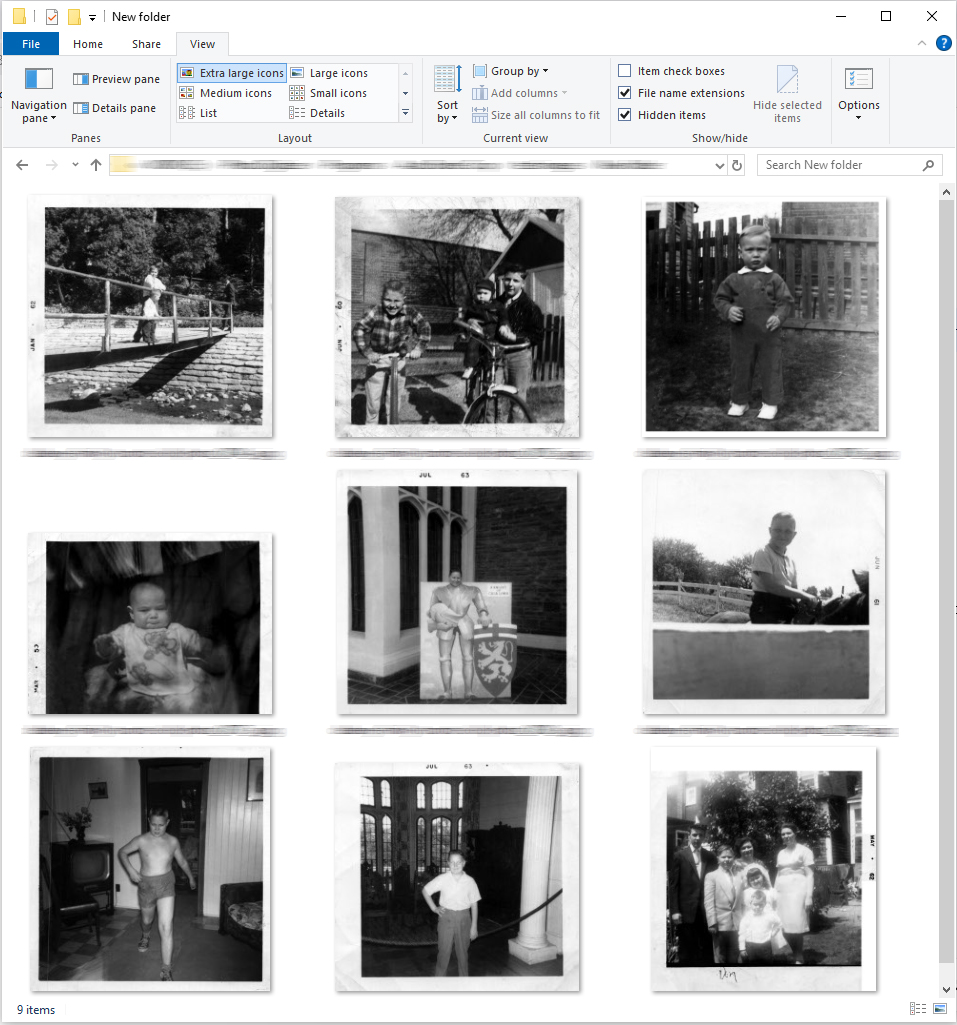
Before
Scanned photos with unwanted borders
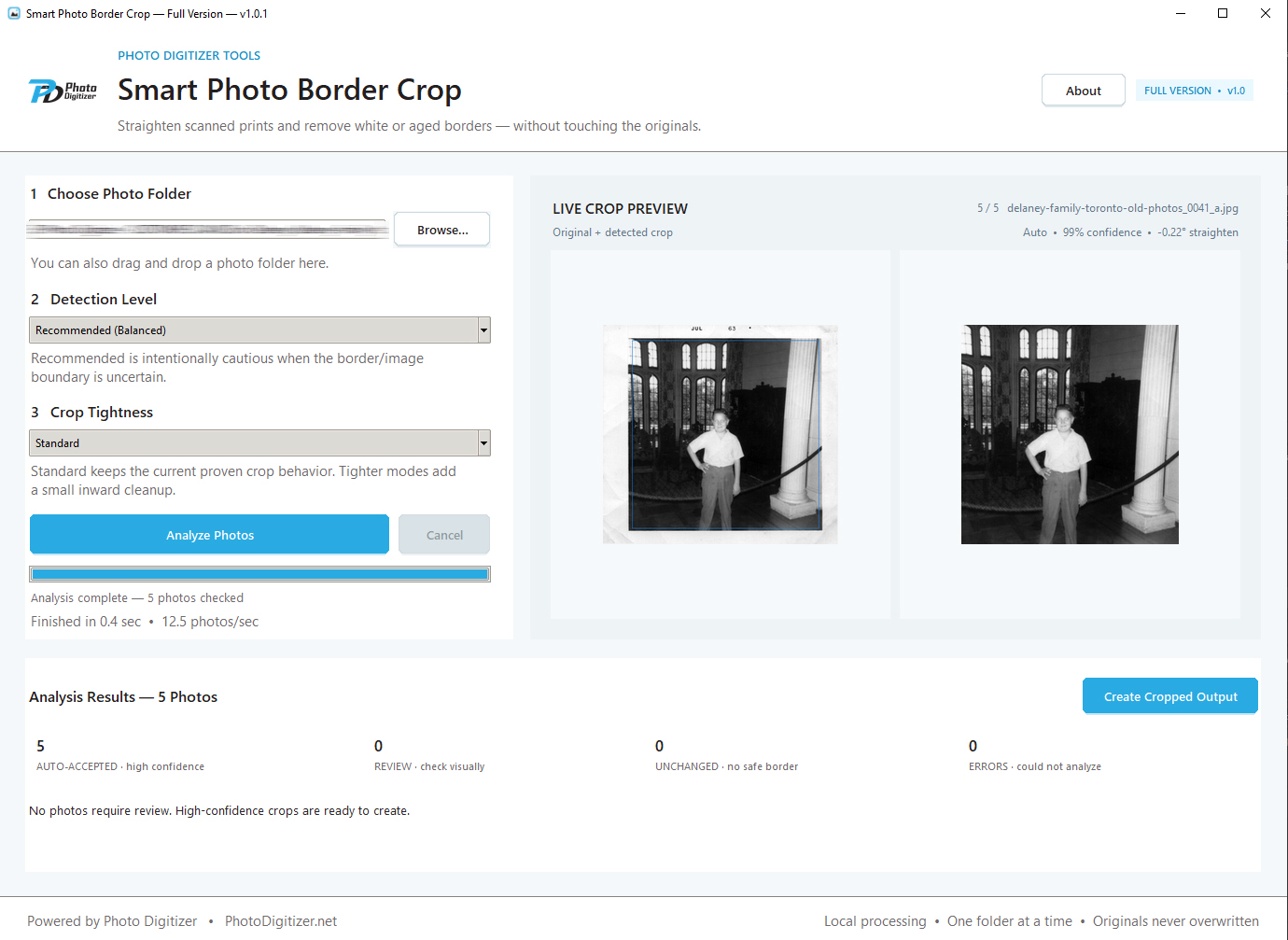
Processing
Smart Photo Border Crop analyzes each image
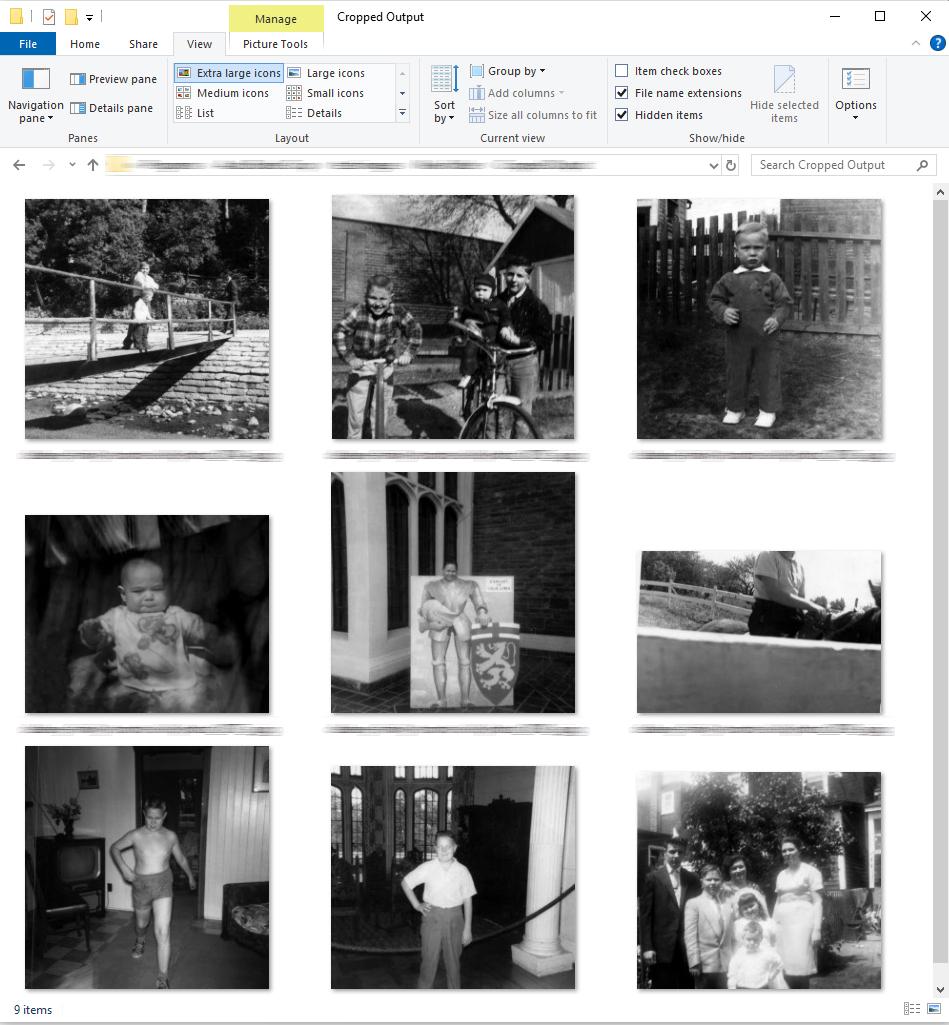
After
Cleanly cropped photos, ready to use
Ready to Save Hours of Cropping?
Manually cropping hundreds of scanned photos can take hours.
Let Smart Photo Border Crop handle the repetitive work — and show you only the photos that actually need your attention.
Who Is it For?
Families
Clean up scanned family photos, inherited photo collections, and years of digitized memories without cropping each image by hand.
Photo Scanning Businesses
Save significant production time by automatically cleaning borders from large customer scanning projects.
Photographers & Photo Collectors
Quickly clean up batches of scanned prints while retaining control over difficult or unusual images.
Genealogists & Archivists
Prepare historical photo collections with cleaner, more consistent image boundaries while preserving original scans.
Anyone with Large Photo Collections
Ideal if you already have hundreds or thousands of scanned photos that still contain unwanted borders or scanner edges.
Why I Created this Tool
While digitizing thousands of customer photos, I found that scanning was only part of the work.
Old prints often have white, cream, faded, uneven, or damaged borders that still need to be removed after scanning. Cropping them individually in Photoshop works — but doing it hundreds or thousands of times is incredibly repetitive.
I built Smart Photo Border Crop to automate the easy ones while still giving me control over the difficult ones.

A Faster Way to Handle Real-World Scans
Most automatic crop tools work well when a photo has a clean, perfectly white border.
Real family photographs are rarely that consistent.
Borders may be yellowed with age, uneven, slightly skewed, partially missing, or surrounded by scanner residue. Smart Photo Border Crop was designed around those kinds of real-world scanned photo collections.
And when the program isn’t confident, it asks you instead of blindly cropping the photo.
I like this better than repeating Auto-Rotate’s exact “A Tool I Couldn’t Find Anywhere Else” wording.

How It Works
1. Choose Your Folder
Select the folder containing the scanned photos you want to clean up.
2. Choose Detection & Crop Settings
Balanced mode works well for most collections, with optional crop-tightness controls when needed.
3. Analyze Photos
The program detects borders, straightens slightly skewed scans when appropriate, and prepares the proposed crops.
4. Review Only If Needed
Most high-confidence photos require no attention. Review, accept, reject, or manually adjust the occasional uncertain crop.
5. Create Cropped Output
Finished photos are saved into a separate Cropped Output folder.
Your original photos are never overwritten.
Privacy and Photo Quality
✓ Photos stay on your computer.
✓ Nothing is uploaded to Photo Digitizer.
✓ Original images are never overwritten.
✓ Cropped photos are saved as separate files.
✓ JPEGs are saved at maximum quality.
✓ DPI, ICC color profiles, and available metadata are preserved whenever possible.

Ready to Crop More Than 100 Photos?
Try Smart Photo Border Crop free on up to 100 photos.
If it saves you time and you want to process larger collections, upgrade to the full version.
Free Trial
$0
- Process up to 100 photos
- Automatic border detection
- Exception-only review
- Manual crop adjustment
- Photos stay on your computer
- Originals are never overwritten
Full Version
$9.95
- One-Time Purchase
- Process unlimited photos
- No 100-photo trial limit
- All Smart Photo Border Crop features
- No subscription
- Use it whenever you need it
- Instant download after purchase
Best for larger photo collections.
One-time purchase. No subscription. Your photos remain on your computer.
Already tried the free version?
The full version lets you continue processing larger photo collections without the 100-photo limit.
Frequently Asked Questions
No. All photo analysis and cropping happens directly on your Windows computer. Your photos are not uploaded to Photo Digitizer or sent to an online service.
Smart Photo Border Crop saves JPEG output at maximum JPEG quality and preserves the original DPI, ICC color profile, and available metadata whenever possible.
Because cropping removes unwanted pixels around the outside of the image, the pixel dimensions and file size may naturally become smaller.
No. Your originals are never changed.
Finished images are saved to a separate Cropped Output folder inside the folder you selected.
It doesn’t blindly crop the image. Uncertain photos are held for review.
You can inspect the proposed crop, accept it, reject it, or use the built-in manual crop editor to adjust it yourself.
Yes. The built-in crop editor lets you adjust individual edges and corners, zoom and pan for more precise placement, reset to the automatic crop, or reset to the entire image.
It can automatically correct slight scan skew when the physical print or border provides enough information to determine the proper alignment.
The free trial allows Smart Photo Border Crop to process up to 100 photos total on your computer. You can use the allowance in one folder or across multiple folders.
After the trial allowance is used, the $9.95 Full Version removes the limit.
No. The Windows installer includes everything Smart Photo Border Crop needs to run.
No. Smart Photo Border Crop intentionally processes one selected folder at a time. Subfolders are not included.
JPG, JPEG and PNG.
No. Smart Photo Border Crop is designed specifically to eliminate much of the repetitive cropping work that would otherwise be done manually in Photoshop or another image editor.
You can still use Photoshop afterward for any specialized editing you want.
We can use essentially the same SmartScreen explanation already on the Auto-Rotate page because both are currently direct-download Windows applications without a signed-publisher reputation.

About Photo Digitizer
Smart Photo Border Crop was created by Photo Digitizer, a professional photo scanning and digitization service.
I work with large collections of printed photos, slides, negatives, documents, and family archives, so I know how much time can be lost fixing small problems one image at a time.
Smart Photo Border Crop grew directly out of that work. I wanted a faster way to remove unwanted borders from large batches of scanned photographs without sacrificing quality, altering the originals, or sending customers’ photos to an online service.
If you have boxes of family photos, albums, slides, negatives, or documents that you’d rather have professionally digitized, Photo Digitizer can help.